Introduction
I had an idea in the car yesterday: What would happen if you treated colours as three-dimensional vectors, with red, green, and blue values as entries? Then, what would happen if you took an image, got the colour vectors for each pixel, applied some linear transformation to them, and then used the resulting vectors as the colours for pixels in a new image?
I thought this was an interesting idea, so I wrote some software in Java that takes in an image file and a matrix and does exactly that. I don’t know if there are any practical applications for this, but I thought it was neat, and the results are some cool-looking images.
If you’re interested in trying this out, the code for my little program is available on my GitHub.
The Test Image
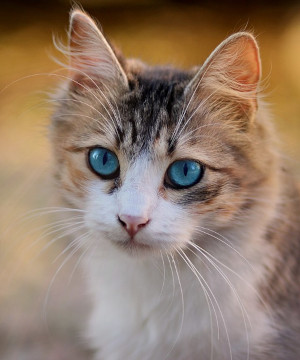
This is the original image, on which all the transformations were performed. I got it from Wikimedia Commons and it is licenced under the CC0 license (it is in the public domain).

Resulting Images
The Identity Matrix
Multiplying an n-dimensional vector by the \(n \times n\) Identity Matrix gives the same vector back. The Identity Matrix is:
$$\begin{pmatrix}1 & 0 & 0\\0 & 1 & 0\\0 & 0 & 1\end{pmatrix}$$And as expected, the resulting image is the same as the original:

The Zero Matrix
Multiplying an \(n\)-dimensional vector by the \(n \times n\) Zero Matrix gives back the \(n\)-dimensional Zero Vector. The Zero Matrix is:
$$\begin{pmatrix}0 & 0 & 0\\0 & 0 & 0\\0 & 0 & 0\end{pmatrix}$$As you might expect, it makes the whole image black:

Isolating Primary Colours
Each column in the matrix represents one of red, green, or blue. If we want to isolate red, we multiply by:
$$\begin{pmatrix}1 & 0 & 0\\0 & 0 & 0\\0 & 0 & 0\end{pmatrix}$$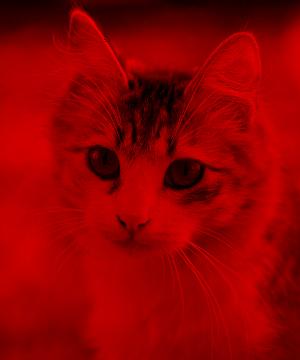
Similarly for green:
$$\begin{pmatrix}0 & 0 & 0\\0 & 1 & 0\\0 & 0 & 0\end{pmatrix}$$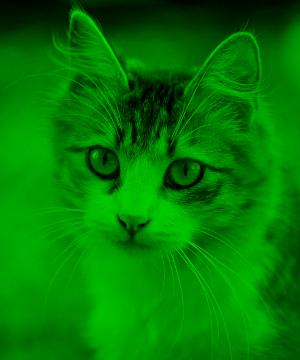
And blue:
$$\begin{pmatrix}0 & 0 & 0\\0 & 0 & 0\\0 & 0 & 1\end{pmatrix}$$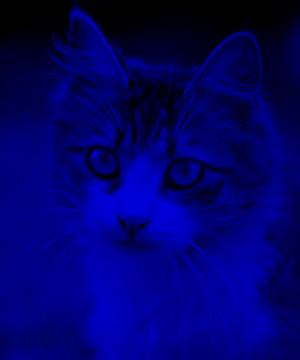
Multiplying by Colours
We can also multiply images by colours to get something like a filter, using this matrix for a colour \((R, G, B)\):
$$\begin{pmatrix}R/255 & 0 & 0\\0 & G/255 & 0\\0 & 0 & B/255\end{pmatrix}$$To apply a yellow filter \((255, 255, 0)\):
$$\begin{pmatrix}1 & 0 & 0\\0 & 1 & 0\\0 & 0 & 0\end{pmatrix}$$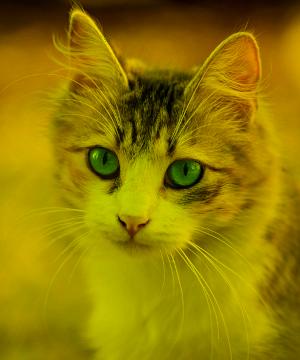
For pink \((255, 192, 203)\):
$$\begin{pmatrix}1 & 0 & 0\\0 & 0.7529 & 0\\0 & 0 & 0.7961\end{pmatrix}$$
Projection onto a Line
The standard matrix for a projection onto the line in the direction of unit vector \(u\) is \(uu^T\). So to project vectors onto the line in the direction of \((R, G, B)\), we multiply by:
$$\frac{1}{r^2+g^2+b^2}\begin{pmatrix}r^2 & rg & rb\\rg & g^2 & gb\\rb & gb & b^2\end{pmatrix}$$Where \(r = \frac{R}{255}\), \(g = \frac{G}{255}\), and \(b = \frac{B}{255}\).
If we use aquamarine \((127, 255, 212)\), the resulting matrix is:
$$\begin{pmatrix}0.1279 & 0.2568 & 0.2135\\0.2568 & 0.5157 & 0.4288\\0.2135 & 0.4288 & 0.3564\end{pmatrix}$$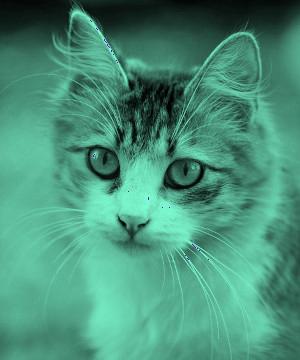
It may be interesting to use yellow \((255, 255, 0)\) to see the difference between multiplying the image by a colour and projecting it:
$$\begin{pmatrix}0.5 & 0.5 & 0\\0.5 & 0.5 & 0\\0 & 0 & 0\end{pmatrix}$$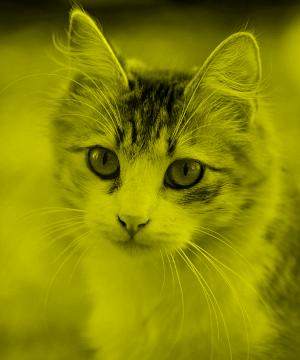
If you compare this image to the yellow filter above, you’ll notice that this one is monochromatic. The projection makes it so that every pixel is a shade of the colour the image was projected onto, instead of simply layering the new colour over the previous colours.
Black and White via Projections
We can make images black and white by projecting them onto the line in the direction of white \((255, 255, 255)\):
$$\begin{pmatrix}0.3333 & 0.3333 & 0.3333\\0.3333 & 0.3333 & 0.3333\\0.3333 & 0.3333 & 0.3333\end{pmatrix}$$
Rotation About the X-Axis
The standard matrix for a rotation about the x-axis (the ‘red’ axis) by angle \(\theta\) is:
$$\begin{pmatrix}1 & 0 & 0\\0 & \cos\theta & -\sin\theta\\0 & \sin\theta & \cos\theta\end{pmatrix}$$Rotating by \(\frac{\pi}{2}\) about the x-axis:
$$\begin{pmatrix}1 & 0 & 0\\0 & 0 & -1\\0 & 1 & 0\end{pmatrix}$$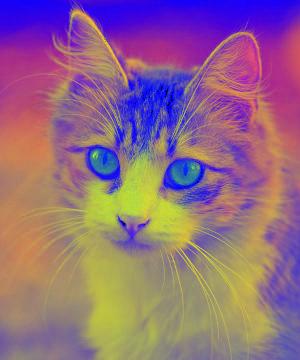
This image has been revised. See the notes section.
Rotation About the Y-Axis
The standard matrix for a rotation about the y-axis (the ‘green’ axis) by angle \(\theta\) is:
$$\begin{pmatrix}\cos\theta & 0 & \sin\theta\\0 & 1 & 0\\-\sin\theta & 0 & \cos\theta\end{pmatrix}$$Rotating by \(\frac{π}{2}\) about the green axis:
$$\begin{pmatrix}0 & 0 & 1\\0 & 1 & 0\\-1 & 0 & 0\end{pmatrix}$$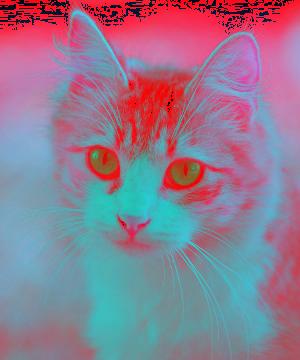
This image has been revised. See the notes section.
Rotation About the Z-Axis
The standard matrix for a rotation about the z-axis (the ‘blue’ axis) by angle \(\theta\) is:
$$\begin{pmatrix}\cos\theta & -\sin\theta & 0\\\sin\theta & \cos\theta & 0\\0 & 0 & 1\end{pmatrix}$$Rotating by \(\frac{\pi}{2}\) about the blue axis:
$$\begin{pmatrix}0 & -1 & 0\\1 & 0 & 0\\0 & 0 & 1\end{pmatrix}$$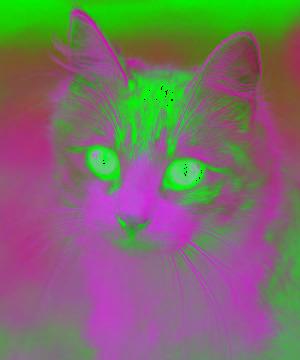
This image has been revised. See the notes section.
The Pascal Matrix
The \(3 \times 3\) Pascal matrix is:
$$\begin{pmatrix}1 & 0 & 0\\1 & 1 & 0\\1 & 2 & 1\end{pmatrix}$$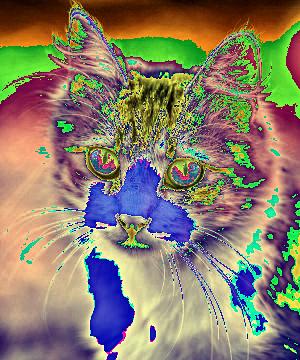
The Matrix of Ones
The \(3 \times 3\) Matrix of Ones:
$$\begin{pmatrix}1 & 1 & 1\\1 & 1 & 1\\1 & 1 & 1\end{pmatrix}$$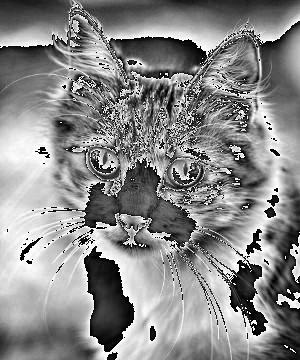
Notes and Limitations
These are some things my software could do better:
- Values above 255: Currently the new colour vectors’ entries are mod 255. I thought this would at least be more revealing than just capping them off at 255. This limitation is why all the formulas on this page use the colour values divided by 255, which seems to work well.
- Decimal RGB values: Currently all values are, after the calculation is complete, casted to integers, so they lose their decimal places.
Revisions
- 2022-09-09: I noticed a typo in the formula for a projection onto the line in the direction of some colour (R, G, B).
- 2022-04-18: I received a valuable suggestion about how I could improve how my software handles negative numbers. Previously I had just taken their absolute value, but now they wrap back to 255. The only images on this page affected by the change were the rotations, so you can view the pre-revision versions here: x-axis, y-axis, z-axis.

Conclusion
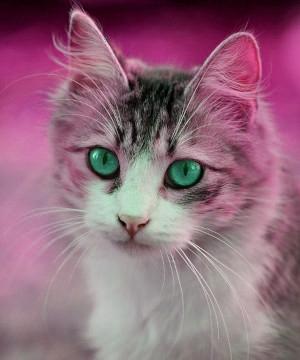
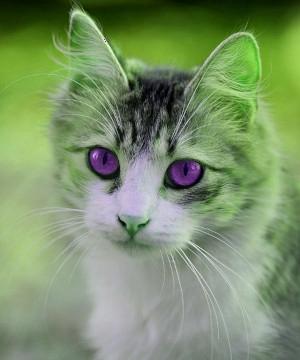
Using this software and the idea of colours as vectors, I’ve been able to use matrices to apply filters, effects, and distortions to an image. This has been an interesting weekend project and I hope others might also find it interesting, and maybe even useful.